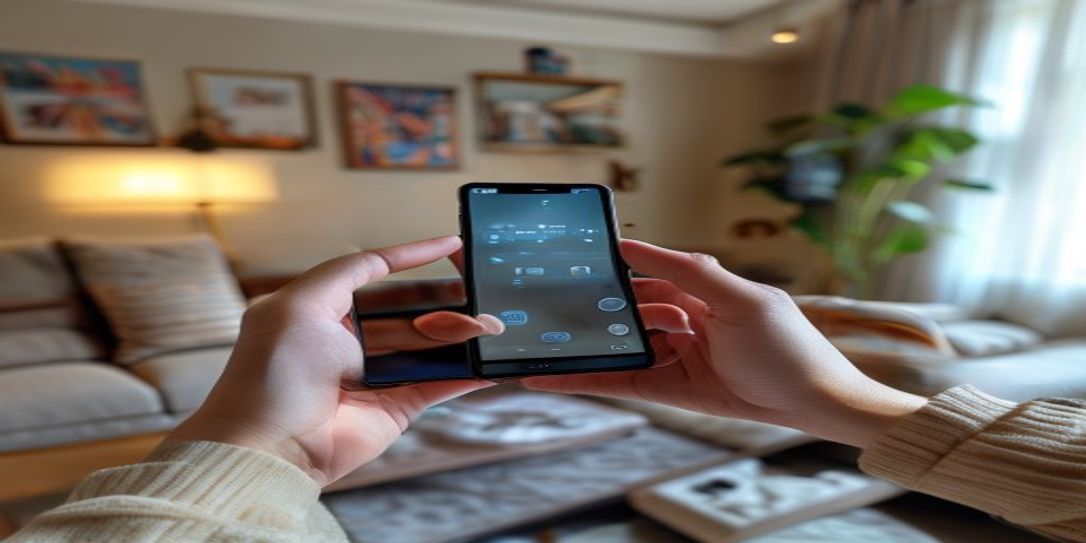
Step-by-Step Guide for Video Documenting House Contents for Insurance Claims
In a world of increasing uncertainties, from natural disasters like wildfires and hurricanes to everyday mishaps, protecting your assets is paramount. When disaster strikes, the last thing you want is a protracted, stressful insurance claim process. This is precisely why a comprehensive, video-based home inventory is not just helpful, but absolutely essential. This step-by-step guide for video documenting house contents for insurance claims will walk you through creating an irrefutable record of your personal belongings, making claim filing faster and smoother, especially with the help of a dedicated digital home inventory application like Rivets Inventory.
Why Video Documentation is Crucial for Insurance Claims
Photos are good, but video evidence takes your insurance claim documentation to an entirely new level. A video provides context, shows the condition of items, and offers a continuous, undeniable record of your possessions room by room. It can illustrate the layout of your home and the sheer volume of your belongings more effectively than static images ever could. For homeowners facing potential loss from fire, flood, or theft, robust documentation can be the difference between a fair payout and a significant financial hit.

Your Step-by-Step Guide to Video Documenting House Contents
Follow these steps to create a meticulous video inventory of your home contents.
Step 1: Preparation is Key
- Declutter and Organize: Before you start filming, do a quick tidy-up. This isn't about deep cleaning, but ensuring items are visible and accessible. Group similar items together if possible.
- Charge Your Device: Ensure your Android smartphone or camera is fully charged and has ample storage space. The Rivets Inventory Android App allows you to capture and organize videos directly within the app, streamlining the process.
- Gather Receipts and Valuations: Have any important documents like original purchase receipts, appraisals for high-value items, or warranty information readily available. You can cross-reference these as you film.
Step 2: Tour Each Room Systematically
- Start with a Plan: Begin in one room and move systematically through your entire home. For each room, start from a corner, doing a slow 360-degree pan to capture the overall layout and condition.
- Narrate as You Go: As you film, narrate what you're seeing. State the date, your address, and the room you're in. Describe items, their condition, and any distinguishing features. For example, "This is our living room, filmed on [Date]. Here is the 65-inch smart TV, purchased two years ago."
- Open Doors and Drawers: Don't just film the surface. Open cabinets, closets, and drawers to show their contents. Remember, insurance claims cover everything inside your home, not just what's on display.
Step 3: Focus on Details and Valuables
- Close-Ups Matter: For electronics, appliances, and other significant items, zoom in to capture brand names, model numbers, and serial numbers. This is crucial for accurate valuation and replacement.
- Highlight High-Value Items: Dedicate specific segments to jewelry, art, collectibles, or expensive electronics. Briefly mention their estimated value or appraisal details if known. The Rivets Inventory Free App for Android allows you to attach multiple photos and videos to individual item entries, making it easy to cross-reference and provide comprehensive evidence for these items.
- Don't Forget the "Hidden" Items: Tools in the garage, seasonal decorations in the attic, linens, clothing, and pantry contents all add up. Ensure your video covers these often-overlooked categories.
Step 4: Secure Your Video Evidence for Insurance Claims
- Cloud Backup is Essential: After recording, immediately upload your videos to a secure cloud storage service. The Rivets Inventory Android App offers automatic cloud backup, ensuring your documentation is safe even if your physical device is damaged or lost. This is a vital step in preparing for any insurance claim.
- Multiple Copies: Consider saving copies to an external hard drive or a separate cloud service for extra redundancy.
- Regular Updates: Make it a habit to update your video inventory annually, or whenever you make significant purchases or renovations.
Enhancing Your Video Documentation with Rivets Inventory App
While this step-by-step guide for video documenting house contents for insurance claims provides the framework, the Rivets Inventory Android App makes the entire process incredibly efficient and robust. This free app allows you to:
- Organize items by room or category.
- Attach multiple photos and videos to each item entry.
- Add descriptions, purchase dates, and estimated values.
- Benefit from secure cloud storage for all your documentation, accessible anywhere, anytime.
- Generate detailed reports for your insurance provider with ease.
People Also Ask
How often should I update my home inventory?
It's recommended to update your home inventory annually or whenever you acquire significant new items, make major renovations, or dispose of high-value belongings.
Can photos and videos really help my insurance claim?
Absolutely. Photos and videos provide undeniable proof of ownership, condition, and existence of items, significantly speeding up the claims process and helping ensure you receive a fair settlement.
Is there a free app to help with home inventory?
Yes, the Rivets Inventory Android App is a free digital home inventory tool designed to help you document your personal belongings with photos, videos, and detailed information, including secure cloud backup.
FAQ
Why is video better than just photos for insurance?
Video provides continuous, contextual evidence of your belongings, showing not just what you own, but its condition and placement within the home. It's harder to dispute the presence or state of an item when it's captured in motion within its environment, offering a more complete picture than static photos alone.
What equipment do I need for video documenting house contents?
A modern smartphone with a good camera is usually sufficient. An Android phone with the Rivets Inventory app is ideal, as it streamlines both recording and organizing. Ensure your device has enough storage and is fully charged.
How long should my inventory video be?
The total length depends on the size of your home and the number of belongings. Focus on thoroughness, not speed. A typical 2-bedroom home might take 1-2 hours of careful filming. You can pause and resume, breaking it into manageable segments.
How does the Rivets Inventory app help with video documentation?
The Rivets Inventory Android App allows you to directly capture and attach videos (and photos) to individual items or rooms. It then organizes these files, adds item details, and backs them up securely to the cloud, making your entire home inventory easily accessible and ready for insurance claims.
Is the Rivets Inventory app truly free for Android users?
Yes, the core functionality of the Rivets Inventory Android App, including item documentation, photo/video uploads, and cloud backup, is available for free. This makes it an accessible tool for everyone looking to secure their home contents documentation.
Related: step-by-step guide for video documenting house contents for insurance claims