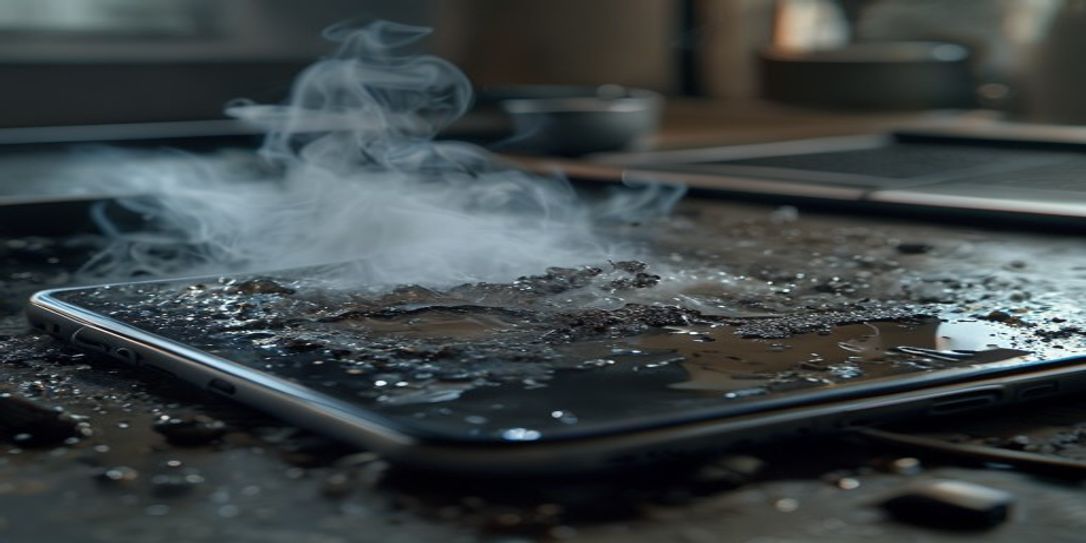
A Detailed Guide to Photographing Electronics for Wildfire Damage Insurance Inventory
The devastating impact of wildfires leaves behind a landscape of loss, and amidst the chaos, documenting your damaged property for insurance claims becomes paramount. Electronics, often high-value and susceptible to complex damage from heat, smoke, and ash, require meticulous photographic evidence. This detailed guide to photographing electronics for wildfire damage insurance inventory will walk you through the essential steps to ensure your claim is robust and well-supported.
When wildfires strike, the aftermath can be overwhelming. Beyond the visible destruction, electronics often suffer hidden damage, making comprehensive documentation crucial for a successful insurance claim. Properly captured images serve as irrefutable proof of loss, helping you recover the full value of your cherished and essential devices. For a streamlined process, consider using a dedicated home inventory app like Rivets Inventory, available for free on Android.
Before Disaster Strikes: Proactive Electronic Inventory
The best time to photograph your electronics isn't after a wildfire – it's before. Creating a digital home inventory proactively is your strongest defense. For every electronic device:
- Take Clear "Before" Photos: Capture working condition, unique features, and any pre-existing minor wear.
- Document Serial Numbers: Every piece of electronics has a unique serial number, often on a sticker or etched into the back/bottom. Photograph these clearly.
- Receipts & Purchase Info: Photograph or scan receipts, warranty cards, and purchase dates.
- Video Documentation: A short video showing electronics functioning can be incredibly powerful evidence.
The Rivets Inventory Android App allows you to easily categorize items, attach multiple photos, link receipts, and store all this vital information securely in the cloud, accessible even if your physical documents are destroyed. It's the ultimate tool for wildfire preparedness and asset protection.
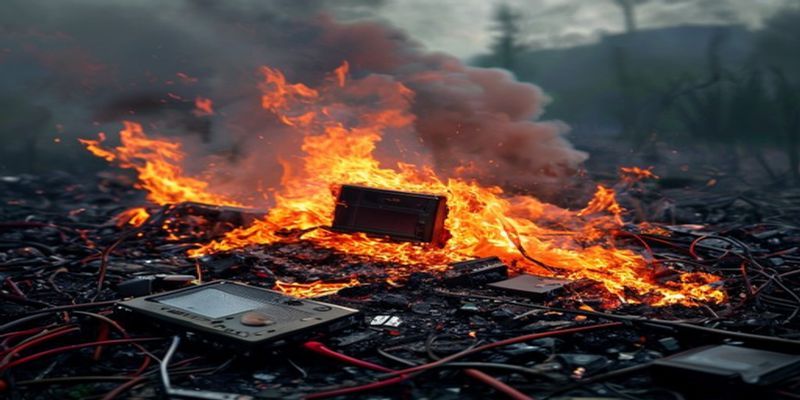
Post-Wildfire: A Systematic Approach to Photographing Damaged Electronics
Once it's safe to re-enter your property, follow this systematic approach for your detailed guide to photographing electronics for wildfire damage insurance inventory:
1. Prioritize Safety
Never jeopardize your safety. Wear appropriate personal protective equipment (PPE) like masks, gloves, and sturdy shoes. If there's any doubt about structural integrity or electrical hazards, wait for professionals.
2. General Overview Shots
Start with broader photos of the room or area where the electronics are located. This establishes context and shows the overall damage. Then, take photos of the electronic item in its damaged environment before moving or cleaning anything.
3. Close-Up Details of Damage
Zoom in to capture specific signs of damage. This is critical for assessing the full extent of loss. Look for:
- Melted components, warped casings, smoke residue.
- Ash infiltration in vents or ports.
- Discoloration or charring.
- Soot accumulation on screens, keyboards, or circuit boards.
- Water damage from firefighting efforts (if applicable).
4. Documenting Identifiers: The Serial Number is Key
This cannot be stressed enough: locate and photograph the serial number, model number, and any other identifying labels on each electronic device. These prove ownership and help confirm the specific model for replacement costs. Take multiple photos from different angles to ensure clarity, even if obscured by damage. For more tips on thorough itemization, refer to our article on Creating an Itemized Photo Inventory for Homeowner's Insurance Claims.
5. Capture All Sides and Components
Photograph the front, back, sides, top, and bottom of each device. Include power cords, adapters, remotes, and any associated peripherals that were damaged. Even if a peripheral appears intact, photograph it with the damaged main unit.
6. Use Good Lighting and a Scale
Natural light is often best. Avoid flash unless absolutely necessary, as it can create glare. If possible, place a ruler or coin next to very small areas of damage to provide a sense of scale.
Organizing Your Electronic Damage Evidence with Rivets Inventory
Taking photos is only half the battle; organizing them is equally important. The Rivets Inventory Free App for Android makes this process seamless. You can upload all your photos directly to the app, categorize them by room or item type, add detailed descriptions, link them to pre-existing inventory entries, and securely store them in the cloud. This ensures that your detailed documentation is readily available when you file your wildfire damage insurance claim, providing peace of mind during a difficult time.
People Also Ask
How do I prove ownership of electronics without receipts after a wildfire?
Clear photos of serial numbers, original packaging (if available), and pre-damage inventory records (like those stored in the Rivets Inventory App) can help establish ownership. Witness statements or credit card statements showing the purchase can also be used.
What if my electronics are completely destroyed and unidentifiable?
Take photos of the debris where the electronics were located. If you have a pre-existing home inventory with photos and serial numbers (from an app like Rivets), this will be crucial. Insurance companies may also accept manufacturer details based on models you owned.
Should I wait for an insurance adjuster before taking photos of damaged electronics?
No, you should start documenting immediately, as long as it's safe. While the adjuster will conduct their own assessment, your initial photos provide a baseline and can capture damage that might degrade or be further compromised over time. Make sure to keep damaged items for the adjuster to inspect.
FAQ: Detailed Guide to Photographing Electronics for Wildfire Damage Insurance Inventory
Why is photographing electronics post-wildfire so important for insurance?
Photographing electronics provides concrete visual evidence of damage, verifying the scope of loss to your insurer. It helps prove ownership, identifies specific models via serial numbers, and substantiates your claim for replacement or repair costs, especially given electronics' high value and susceptibility to various types of wildfire-related damage (heat, smoke, ash, water).
What specific details should I capture for damaged electronics?
Focus on overall shots of the item in its location, then close-ups of specific damage (e.g., melted plastic, soot, discoloration). Critically, photograph the serial number, model number, and any other identifying labels. Also, capture all sides of the device and any damaged accessories like cords or remotes.
Can I use my smartphone for these photos, or do I need a professional camera?
Modern smartphones are perfectly adequate for capturing the necessary photographic evidence. Their cameras often have high enough resolution for clear detail. The most important factors are good lighting, clear focus, and a systematic approach to ensure all angles and identifiers are captured. The Rivets Inventory Android App allows direct photo capture and organization.
How does Rivets Inventory help with the process of photographing electronics for wildfire damage?
The Rivets Inventory Free Android App streamlines the entire documentation process. You can create a detailed inventory before a disaster, attaching photos of each item, including serial numbers and receipts. Post-wildfire, you can easily add new photos of damaged electronics, categorize them, add descriptions, and store everything securely in the cloud, making it simple to access and share with your insurance provider.
Related: detailed guide to photographing electronics for wildfire damage insurance inventory